

Designing access control (permissions) for an enterprise app is pivotal. These applications keep evolving as the company grows.
Being a designer understanding the access control helps to design user management screens. I am sharing some concepts and ideas based on my long experience in designing SaaS applications.
ACL (Access Control List)
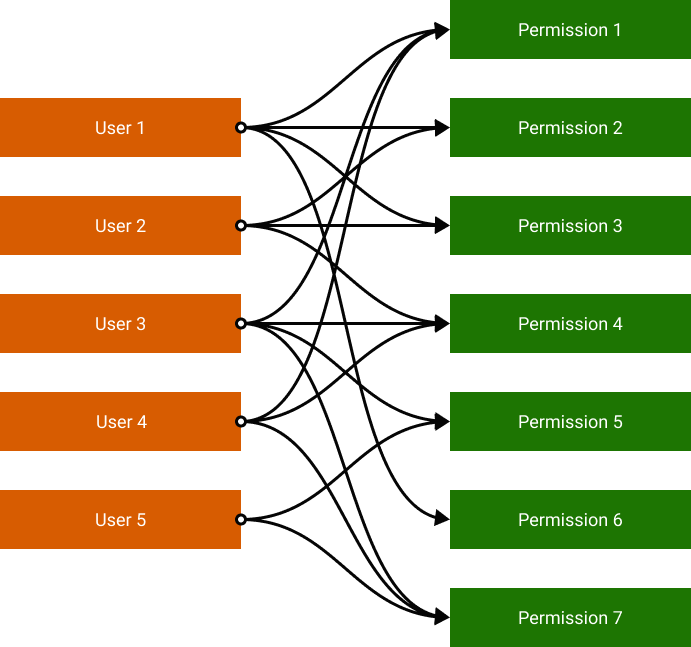
It is a permission-based access control where the user is allowed to execute particular operations. ACL does not assign a role to the user. Instead, it gives access to a set of operations when different users are on board. access to a set of operations is given to the different user as he/she is on board.
RBAC (Role-based access control)
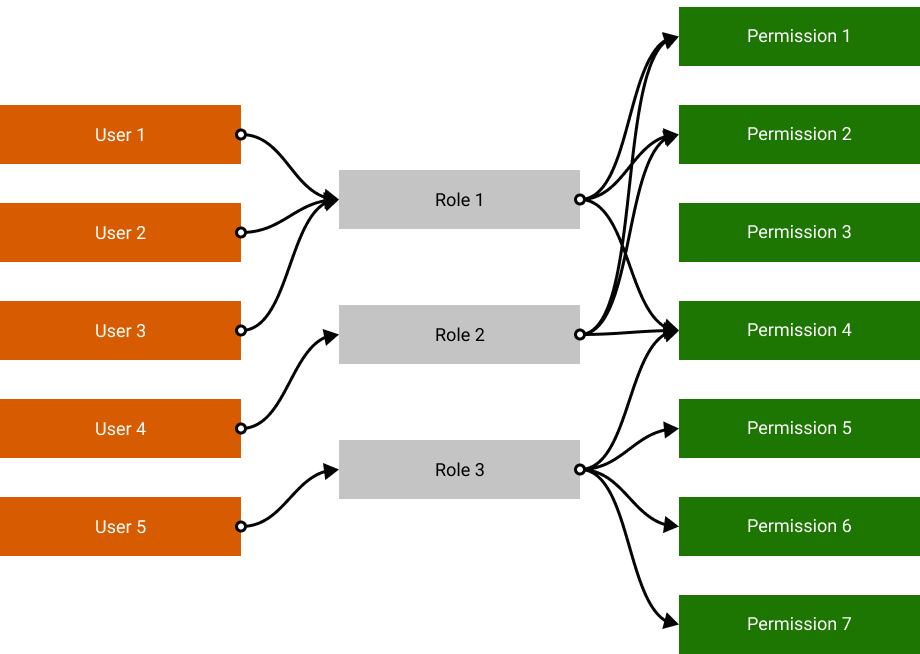
ACL is good for a small set of users but managing users will be cumbersome as users of applications grow. RBAC offers an efficient way to manage users. Permissions to carry out certain operations are grouped as roles. In this case changes of permissions are made on roles that are applied globally within the role. You need not change the permission of each user
GBAC (Group-based access control)
RBAC approach becomes inconvenient as the product gets more complex and starts serving many users. Imagine you need to onboard a new branch of the company. You have to assign roles to hundreds of users one by one.
Within the GBAC model, you can add groups before assigning roles. The role policy is based on the group. This will simplify permission control effortlessly.

Inheriting Permissions
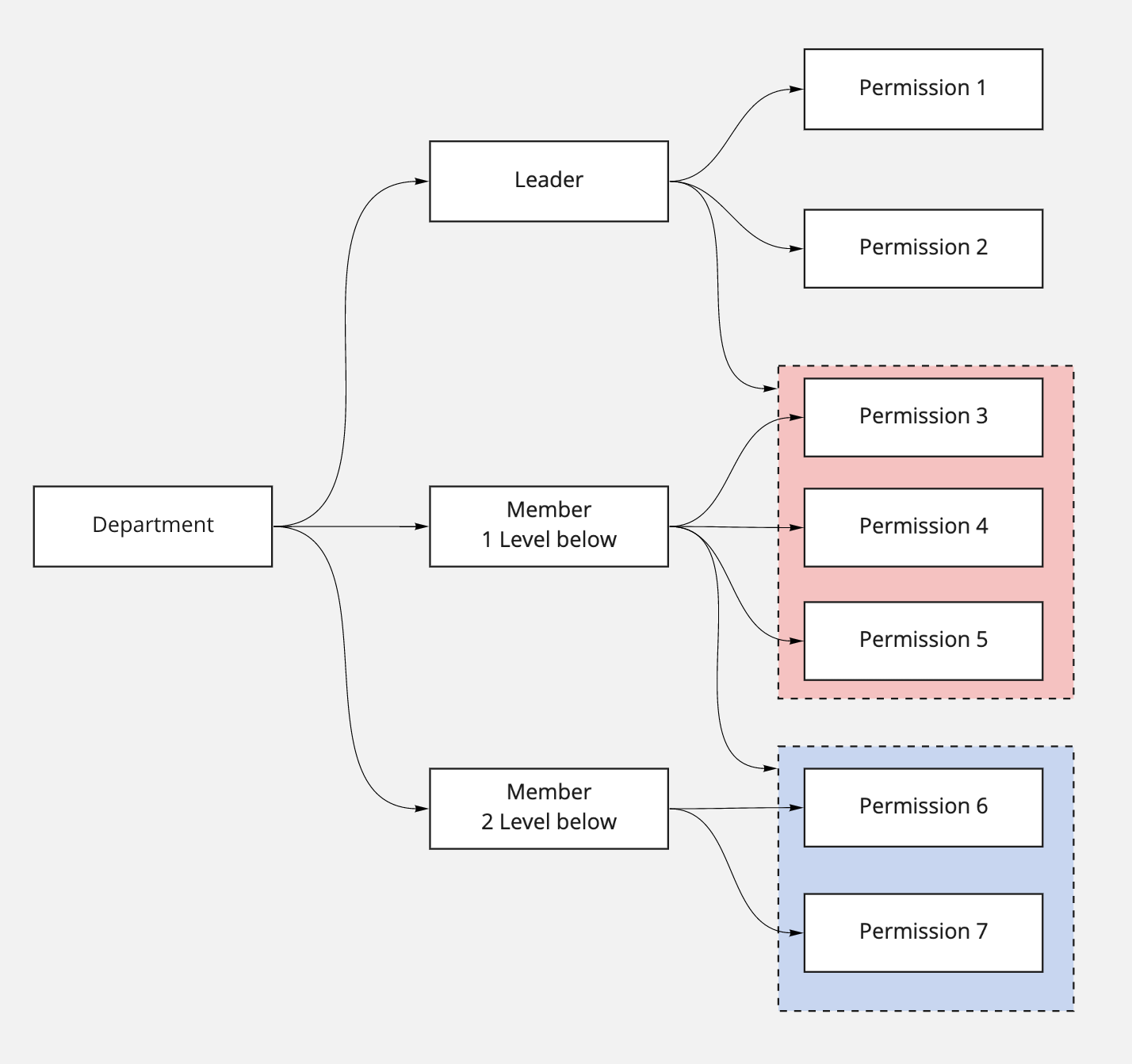
Super admin may want to assign a sub-admin role in a large product. This allows micro permission management within a large user base. Permission within a group can be inherited in this access control

 Collect Dots
Leave a comment